
We do not sell to your country. Why?
Irrvogel's MIDI Text Display
Put your lyrics in the timeline.
- Read your lyrics in the piano roll, in time with the song
- Any font on your computer
- UTF-8 and RTL support

What it does
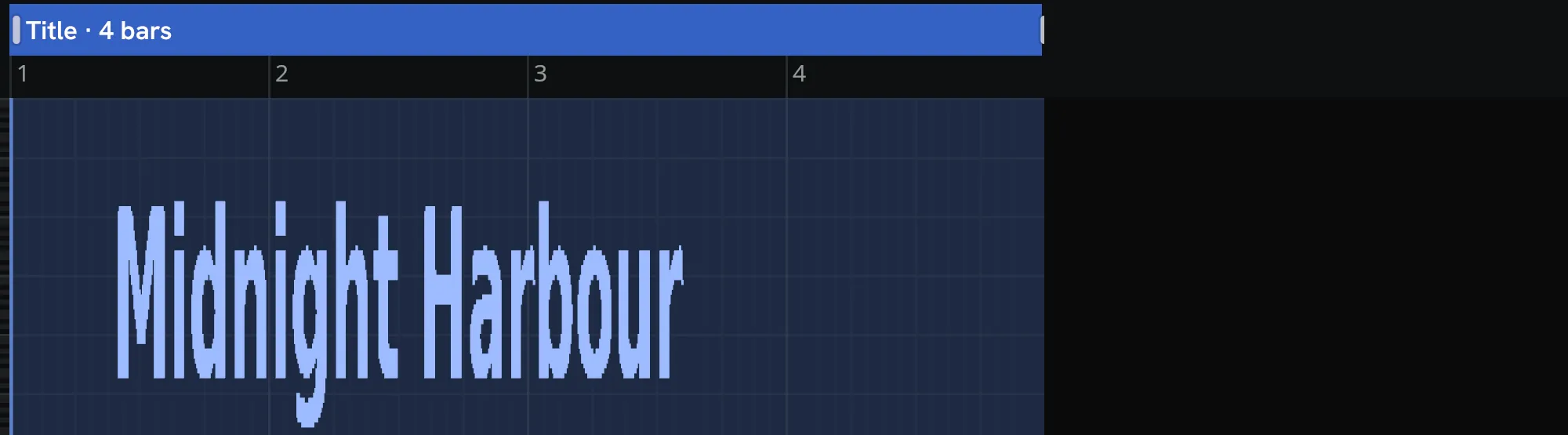
MIDI Text Display renders your lyrics as notes shaped like letters, so the words sit right in your piano roll, on the bars you choose.


How it works
Type your lyrics
Or open a text file, even a chord sheet.
Set the timing
Give every section its own length and time signature, with a rest in between wherever you want one.

Drag it onto a track
Or skip the drag and let the plugin play the notes live.


Features
In your DAW
Plain MIDI notes in your own piano roll

Timing
Every section on its own bars
In its own time signature, or in the one your DAW plays.

Fonts
Write in any font on your computer
Or open a font file from a folder.

DejaVu Sans Bold 
Libertinus Serif Bold 
Stardos Stencil Bold


Scripts
Supports UTF-8 and UTF-16
Mix scripts in one line, right to left included.

Sections
Give every section a name and its own layout
Show its lines together, or one at a time.

Colors
Your lyrics in color
One color per letter or per word, or a gradient. In FL Studio and other DAWs that color notes by channel.

Layout
Letters in the size and spacing you like
Move the text up or down the keyboard, and give the letters smoother curves.

Export
Export only the part you need
Save a selection as its own MIDI file, with the same timing it has in the song.

Standalone program
Runs on its own and saves your notes as a MIDI file.
Offline activation
Music computer offline? Activate it with another device.
Keyboard
Every control in the window works from the keyboard.
More than lyrics
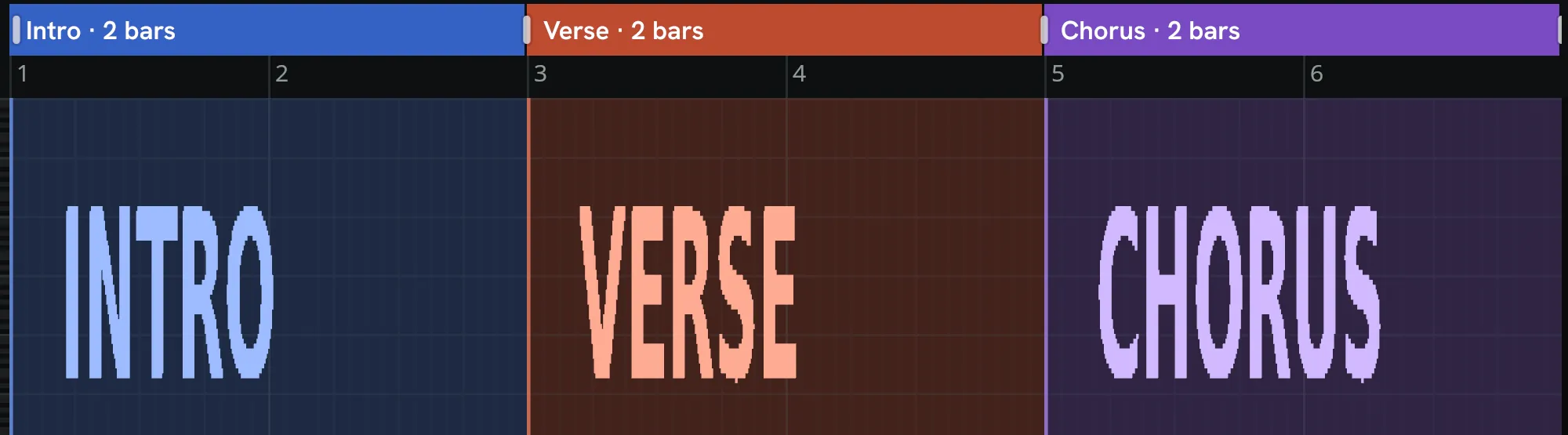
Section names
Write the part names on a track of their own and see where each one starts.
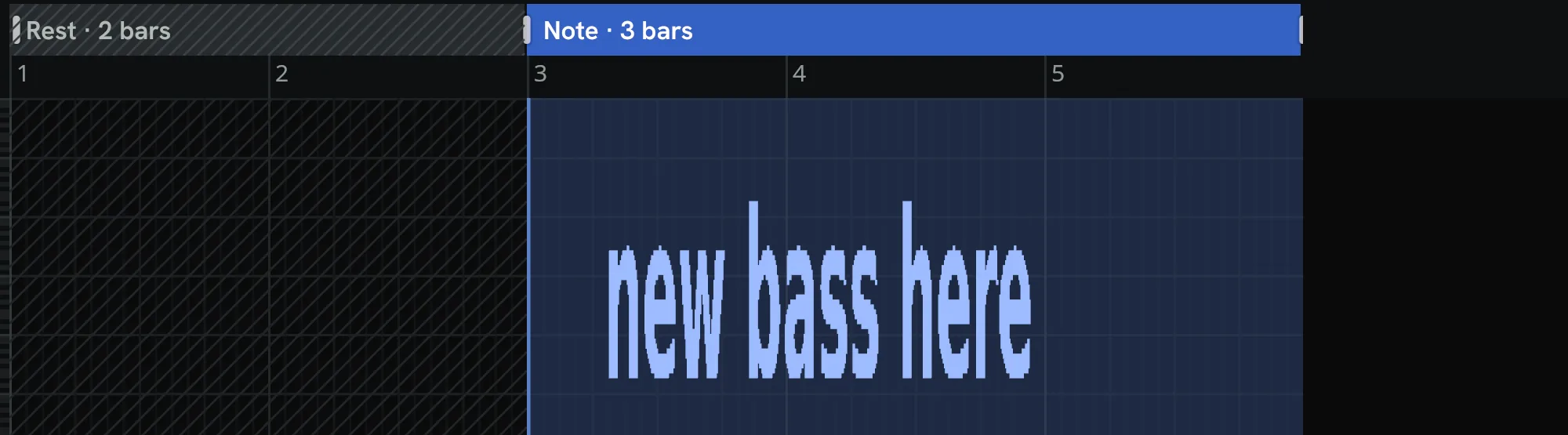
Notes to yourself
Leave yourself a reminder on the bar it’s about.
Text for videos
A title in notes for your piano-roll video or screenshot.


Demo and full version
Full version
€12 one-time, incl. VAT
Enter your key and the demo you already have becomes the full version.
| What the demo and the full version include | Demo | Full version |
|---|---|---|
| Sections that get notes | First 2Show what the demo writes | AllShow what the full version writes |
| Live MIDI in your DAW | Included | Included |
| Drag onto a track and save as MIDI file | Included | Included |
| Other fonts | Not included | Included |
| Layout controls | Not included | Included |
| Open and save text files | Not included | Included |
| Use on computers | Any number | Up to 2 |
| Works offline after activation | No activation needed | Included |
| Updates until December 2031, at least 5 years after release | No promise | Included |


One-time purchase, with the license key sent by email. We sell to 80 countries, including every EU country, but not to the USA. See the list of countries.
You can read more on the About page, under Support and in the license terms. To withdraw from a purchase, use the page Withdraw from contract here.
System requirements
- Formats
- CLAP and VST3 plugin for DAWs that load them, plus a standalone program that runs on its own.
- System
- Windows 10 or 11 (64-bit), or Linux (64-bit x86-64, glibc 2.31 or newer).
- Graphics
- A graphics card with DirectX 12 (on Linux: Vulkan)
- Internet
- An internet connection once for activation and again after you install a newer version, on this computer or on another computer or phone.
- Tested in
- FL Studio on Windows. Other DAWs that load VST3 or CLAP plugins should work too. The free demo lets you check before you buy.
- Accessibility
- You can operate the whole plugin with the keyboard. Screen readers are not supported yet.
Questions
Does it work offline?
Yes. Once you have activated it, it works offline.
It needs the internet for the activation and again after you install a newer version. If the computer you make music on stays offline, you can activate from another device. Managing your computers on the license page needs a connection too.
Will it work with my DAW?
We tested it in FL Studio on Windows. A DAW that loads VST3 or CLAP plugins and shows MIDI in a piano roll should work too.
Try the free demo first, since it is the same download and your key turns it into the full version. If it does not work in your DAW, tell us on the Support page.
What if my font is missing a letter?
The plugin takes that letter from another font on your computer.
It sits on the same baseline and at the same height as the rest. If no font on your computer has a character, the plugin leaves it out and tells you which one.
Will I see the colors in my DAW?
Yes, if your DAW colors notes by MIDI channel, as FL Studio does.
Other DAWs show the notes in their usual colors, and the text reads the same.
What can I do without buying?
You can try it with the first 2 sections of your text.
Sections after the second get no notes, and fonts, the Layout controls and text files come with a license. That is enough to check that it works in your DAW before you buy.
I have a new computer. How do I move my license?
Deactivate the old computer first, then enter your license key on the new one.
Why can't I buy it in the USA?
We do not sell to the USA for legal reasons, and the same applies to countries where our payment provider cannot handle the tax.
Customers in every EU and EEA country can buy.
Who takes the payment?
“Sold through Link, LLC”, a Stripe company, takes the payment for us as merchant of record.
Your card statement shows Link, and Link sends you the receipt and the invoice. Your purchase contract, including the license, is with us.